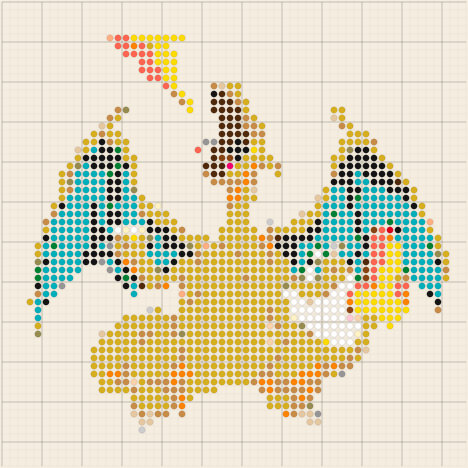
Charizard (Pokémon) is a timeless classic for fuse bead projects: iconic silhouette, flames, wings and bold contrast. This 58×58 pattern hits the sweet spot—impressive, but still finishable in one session, using Hama, Perler or Artkal beads.
📋 Model specs
🖼️ Pattern preview
🟫 Board layout
A 58×58 pattern equals 4 standard Midi boards (29×29) assembled in a 2×2 grid. Great balance: enough detail (wings, flames) while staying compact.
4 boards × 29×29 pegs
💡 For clean seams, iron each board first, then assemble face-up on a flat surface and lightly re-iron just the contact zones to fuse.
🛠️ Step-by-step build guide
Load the model in one click
Click “Load Charizard in the tool”. In CreaPixel you can toggle the grid, choose a palette (Hama / Perler / Artkal) and enable numbers for easier reading.
Prepare 4 boards and organize colours
Work board by board (A1 → A2 → B1 → B2). Before placing beads, separate the main colours in small bowls to go faster and avoid mistakes in the wing/flame areas.
Outline first, then fill
Start with the dark outlines, then fill the body (orange), the wings (blue/green) and finally the flames (yellow/red). At 58×58, small shifts show—double-check the edges before ironing.
Iron and assemble
Dry iron, parchment paper, light circular motions. Iron one side, flip, iron the other, let cool. Assemble the 4 boards and fuse seams with very short heat.
Ready to make Charizard?
Load the model, print your pattern and start. CreaPixel helps with grid and palette adaptation for Hama / Perler.
⚡ Load Charizard in CreaPixel →